Intro
You're busy at work, yet you still make time to learn English on YouTube.
Whenever you encounter a new word, a phrase, or a phrasal verb, you have to do some Internet searching, and you feel overwhelmed.
You may wonder whether there is something that can reduce the time spent on taking notes, so that you can have more time to get familiar with the language itself.
[Read More]Do You Know How to Copy and Paste from the Cambridge Dictionary?
Intro
When I encountered an unfamiliar word while watching YouTube videos or immersing myself in other English content on the Internet, I would open Cambridge Dictionary and look up the word.
It would tell me how to pronounce, its meanings, and usually a few examples for each meaning.
It's a super helpful service. It does a really great job.
There are phonetic transcriptions for both British and American English, along with detailed explanations and examples. This is a really great way for me to learn pronunciation and expand my vocabulary in the end.
[Read More]Announcing Easy Note Sharing on LanguagePuppy!
Stop Studying Solo: Share Your Language Breakthroughs Instantly
Imagine this: You've just spent valuable time diligently reviewing a challenging video lesson on LanguagePuppy. You've taken *incredible notes**—the kind that capture those tricky *idioms, clarify the nuances of advanced vocabulary, and even help you pinpoint and correct your common mispronunciations.
These notes are gold.
If they helped you achieve a major breakthrough in your language journey, wouldn't it be amazing if your study buddies and fellow language learners could benefit from your hard work, too?
[Read More]Learn English on YouTube: Fat Bear Week
I believe one meaningful way to learn a language is by watching how natives speak it, English is no exception. In this blog post, I'm going to share a few vocabulary words and phrases that I learned from a bunch of videos about Fat Bear Week on YouTube.
But first and foremost, what is Fat Bear Week?
According to Wikipedia:
Fat Bear Week is an annual event held in late September or early October by Katmai National Park and Preserve in Alaska, commemorating the seasonal preparations made by Alaska peninsula brown bears inhabiting Katmai as they ready themselves for their winter hibernation.
[Read More]
How To Take Notes for YouTube Videos
In this tutorial, we'll show you how to take notes while you're learning a video on YouTube in your target language, be it English, Spanish, Chinese, etc.
So here are the steps:
- Go visit the LanguagePuppy extension on Chrome Web Store and install it
-
Refresh your YouTube video page, and you will see the extension UI along the player
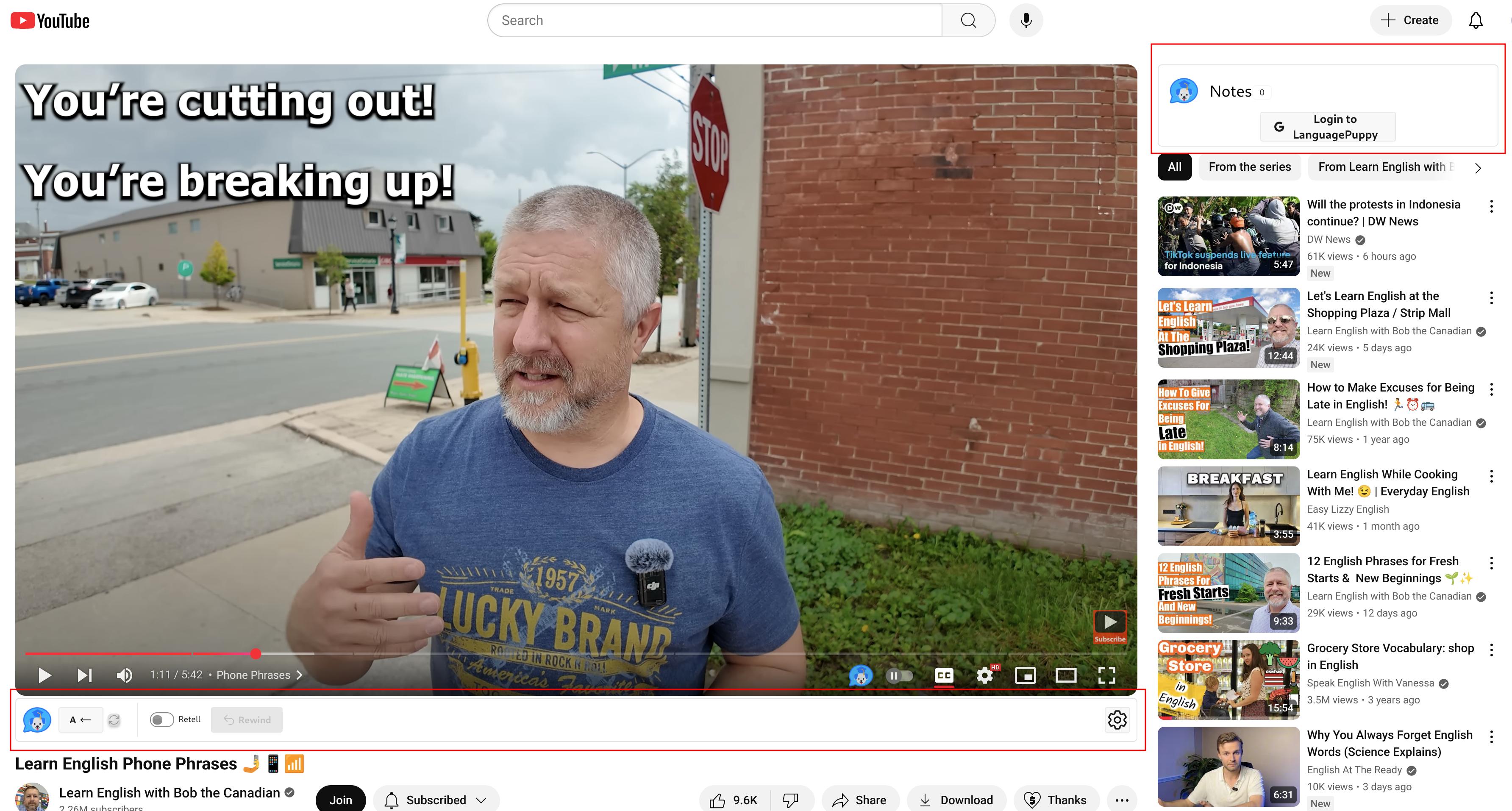
LanguagePuppy's YouTube UI -
Click "Log in" at the top-right corner to log in
[Read More]