Intro
You're busy at work, yet you still make time to learn English on YouTube.
Whenever you encounter a new word, a phrase, or a phrasal verb, you have to do some Internet searching, and you feel overwhelmed.
You may wonder whether there is something that can reduce the time spent on taking notes, so that you can have more time to get familiar with the language itself.
The good news is that we've added such a function to help you take notes of English knowledge based on your current language level.
Sounds interesting? Let's see how to leverage it.
How to Draft Notes
Here are the steps for PC.
- Install the Chrome extension if you haven't, click this link to do it.
- Head to YouTube.com and find an interesting video to watch.
- On the right, you can log in with Google if you haven't.
-
Click the Sparkles to draft notes for the current video; it may take up to a few minutes to finish, depending on the video length.
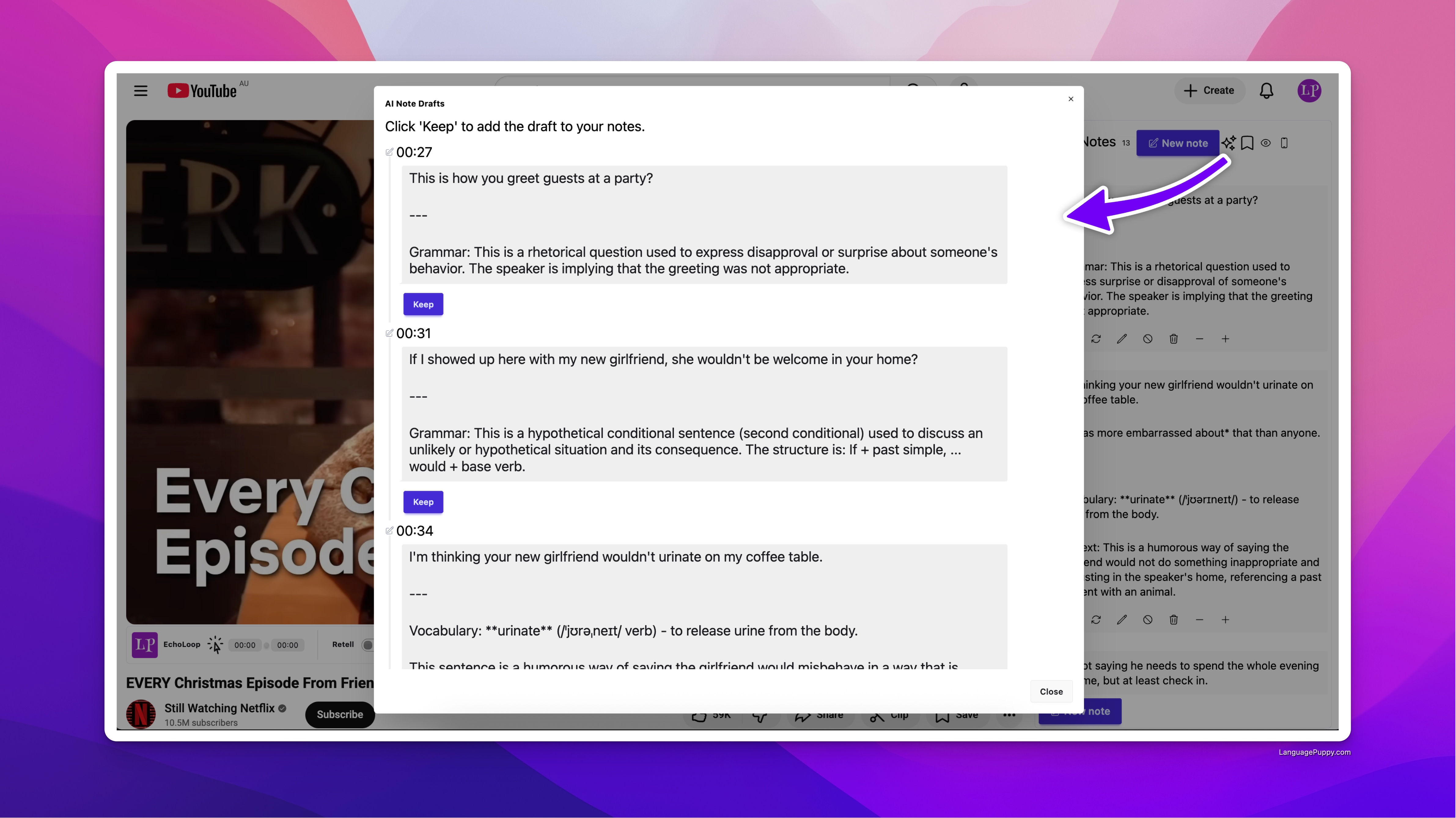
AI Draft Notes -
If you haven't done that yet, you will be prompted to set your target language and level for the first time to let AI tailor notes for you specifically.
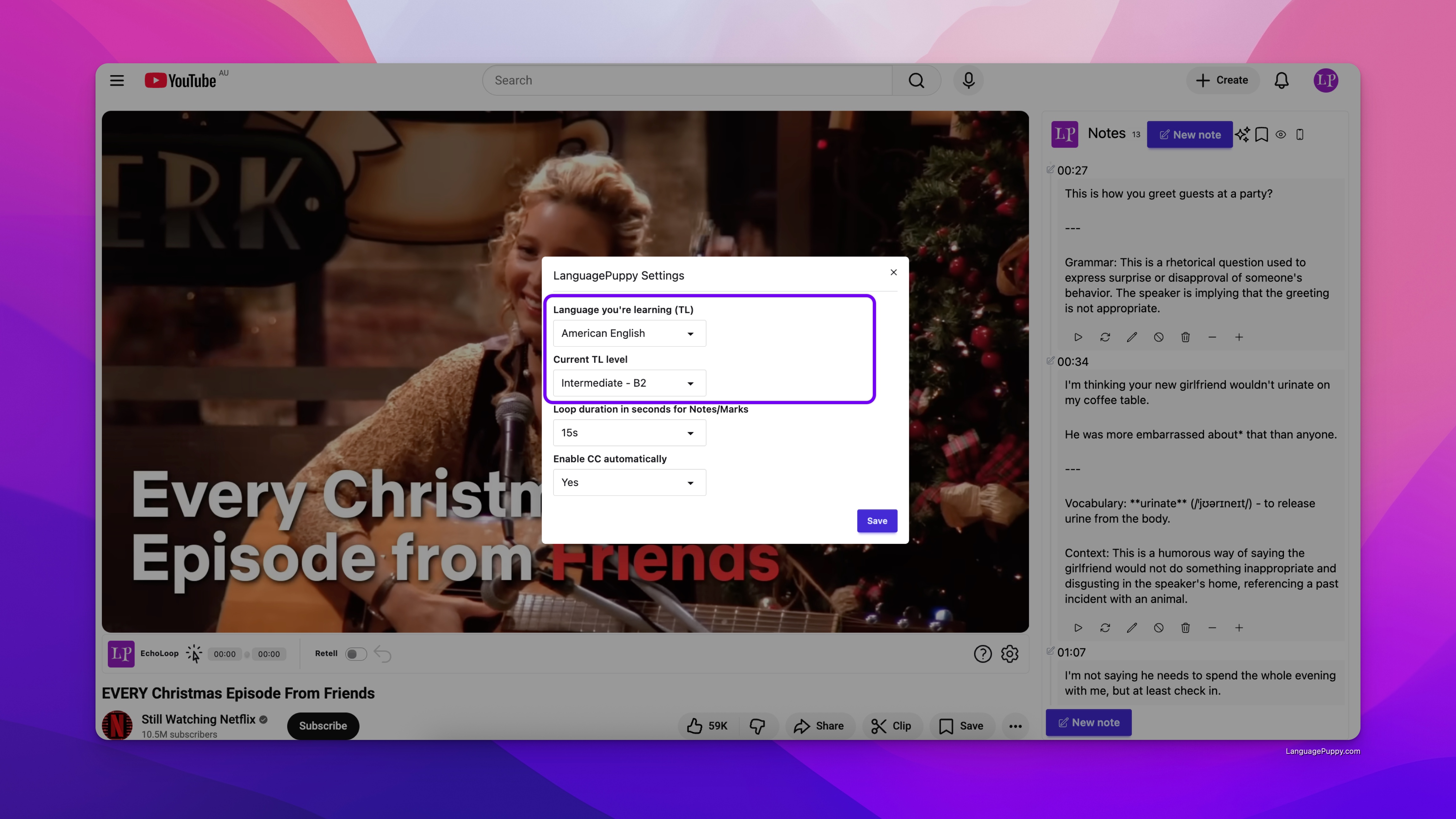
Language Settings
Conclusion
People have gained a lot of efficiency with AI draft notes; if you haven't given it a shot, you definitely need to.
This feature requires a subscription. You can pay for it by visiting the subscription page.
You can still get a taste of it without a subscription, but free users have a daily usage quota.
Leave a comment below if you have any questions or suggestions. We love to hear from you!
If you're wondering what features we have, check out the feature overview page.